I use the libredirect extension so that when I end up with a reddit result in searches it redirects. But yeah most of the time it doesn’t work now.
- 0 Posts
- 8 Comments
Joined 1 year ago
Cake day: June 4th, 2025
You are not logged in. If you use a Fediverse account that is able to follow users, you can follow this user.

 17·21 days ago
AI.
They do none of that
 4·21 days ago
I don’t mean to argue with you on your idea, but YouTube shorts, Instagram reels, and tiktok are the same thing. Loops basically is just that. The only difference I can think of (aside from maybe technical behind the scenes things in how each company did it) are the communities and content.
Is that what you want? Loops to just be more like shorts than tiktok?
It’s probably correct. If you had searched her name and black swimsuit you get more.
Ex: https://www.hello-online.org/index.php?app=picapp&CODE=comments&picture=97353
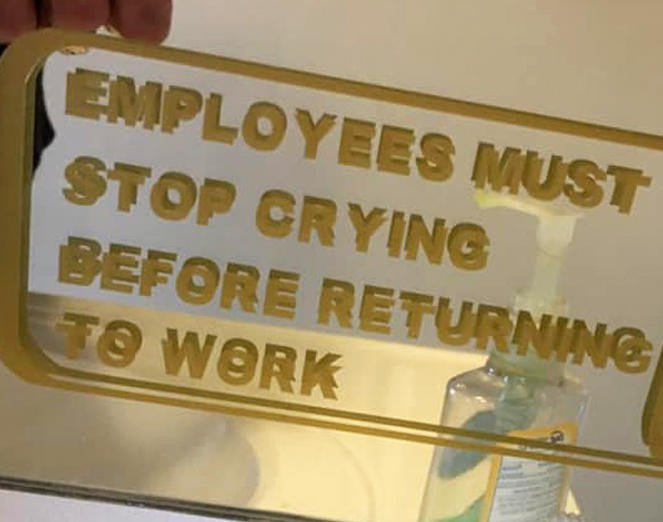
Sometimes you just need to reverse the situation in your head, put yourself in their shoes, and think about how you would react.
So you’re working a shift at Starbucks, hundreds of customers come in a day and order all kinds of drinks. Maybe it’s mostly coffee, but they’re pretty popular for their non coffee drinks too.
A singular person comes in, maybe mid shift, and orders a hot chocolate. Do you honestly even give it a second thought?
 1·2 months ago
Interesting, but the comments are fine to be a lawless wasteland.
 1·3 months ago
Not a bad price either. Showed me 12 USD for the year on porkbun.
In a terminal (or git bash) that’s set to the folder your project is in (cd /path/to/your/project or something like that)
do this one time (per device):
git config --global user.name "Your Name"
git config --global user.email "[email protected]"
Otherwise git will yell at you to do that anyway. Otherwise:
git init -b mainThis starts the whole repository with a branch (-b) called main.
git add .Your git repository has nothing being tracked yet, this stages all of the files. (The . means everything in the current folder and below)
git commit -m "text that describes the commit, like initial commit for the first one"You’ve “staged” the changes with add, this adds them to a “commit”.
Normally git is local, if you want them in a remote repository - like github, gitea, forgejo, etc. you’d create the remote repository there, leave it empty, and add that remote to git.
git remote add origin https://your-server/user/project.gityou’ve added the remote repo called origin, why origin? It’s arbitrary, do it for shits and giggles and because you don’t have to think about it, it’s the conventional name. The link comes from github or whatever service.
You now have the remote, you have your initial files added to a commit, to actually get them to the remote repo you need to push it.
git push -u origin mainThat pushes the commit(s) to the remote “origin” on the main branch. Do that once per project and after that when you want to push your commits you just do
git push.This is the sort of stuff all of the software like Godot or vs codium or whatever is doing in the background when you click the buttons.
New project
New changes
There’s more to it, like reverting back to old commits when something goes wrong, Using a .gitignore file to block staging files you don’t want to, fetching and pulling, and other things that can make git kind of hard at first.